By Caleb Morgan
Updated November 2026
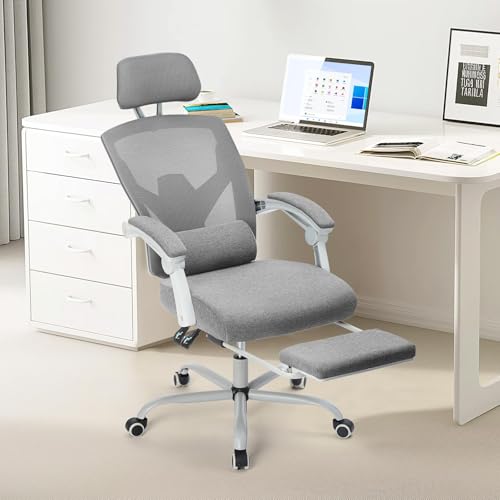
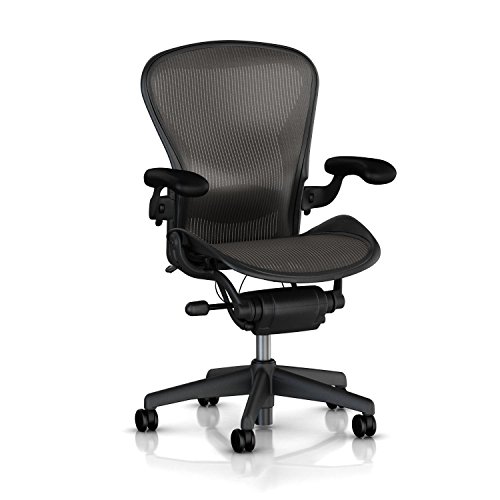
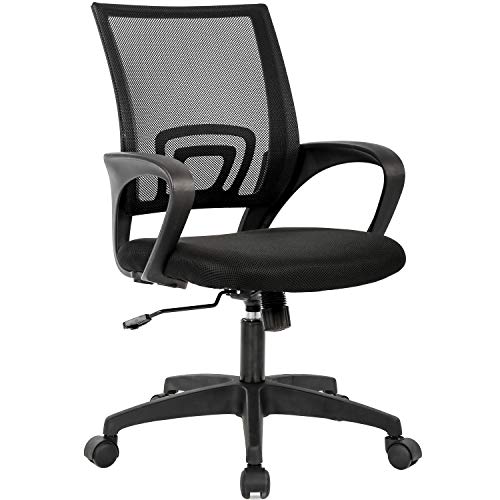
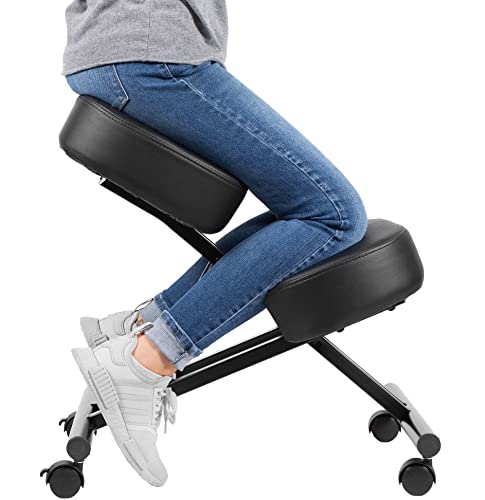
An ergonomic office chair used can give you the lumbar support, adjustability and build quality of a premium seat at a fraction of the original retail value, but only if you inspect it carefully and set it up correctly. This guide walks you through what to check before you buy, how to test the mechanisms, how to fit the chair to your body, and which warning signs mean you should walk away. By the end, you will be able to judge a secondhand chair with confidence and set it up for a healthier, more comfortable workday.
Why Buy an Ergonomic Office Chair Used?
Well-built task chairs are designed to last for many years. The frame, base and mechanisms often outlast the upholstery and the gas cylinder, which means a chair that looks worn may still function exactly as intended. Used office furniture also depreciates quickly after companies upgrade their offices, so many high-quality chairs reach the secondhand market in good condition. The trade-off is that you cannot return a used chair easily, so you need to do your homework before you commit.
Shopping for one? See our guide: 7 Best Ergonomic Mesh Office Desk Chair Picks for Every Need (2026).
Not every chair is worth saving. A seat with broken height adjustment, a collapsed lumbar mechanism or a cracked base is not a bargain, even at a low price. The goal is to find a chair whose core structure is sound and whose wear is limited to surfaces you can replace or live with.
Step 1: Define What “Ergonomic” Means for Your Body
Before you shop, measure yourself and note the features you need. A chair is only ergonomic if it fits the user, so start with your body dimensions rather than the brand.
- Height: Note your standing height. Most adjustable chairs cover a seat-height range that suits people roughly between 5 feet and 6 feet 4 inches, but check the manufacturer’s stated range for any specific model.
- Thigh length: Measure from the back of your buttock to the back of your knee while seated. This determines seat depth. A seat pan that is too deep forces you away from the backrest.
- Hip width: Measure across the widest part of your hips while seated. This helps you judge whether the seat width will be comfortable.
- Must-have features: Decide whether you need adjustable lumbar support, adjustable armrests, a tilt lock, a headrest or a seat slider.
Write these numbers down. You will compare them against the chair’s listed specifications later.
Step 2: Inspect the Chair in Person
If you can, inspect the chair before paying. Bring a checklist and test every moving part. Many used chairs are sold locally, so this step is usually possible.
The Structural Checklist
- Check the base for cracks, bent legs or missing casters. Five-star bases are typically aluminum or reinforced nylon; look for stress marks near the joints.
- Lift the seat and rock it gently. Any clunking, wobble or looseness at the seat-to-base connection signals a problem.
- Press the seat firmly from above. Foam that has compressed flat will feel hard and provide little support, though it can be replaced.
- Inspect the backrest frame. Mesh should be taut without holes or fraying. Fabric should be free of large tears, and the backrest should not flex excessively when you lean on it.
- Look under the seat for cracks in the plastic pan or loose screws.
The Mechanism Test
- Sit down and raise the seat to its highest setting. It should rise smoothly and hold its position without sinking.
- Lower it fully. Listen for grinding or hissing, which can indicate a worn gas cylinder.
- Test the tilt mechanism. Lean back and confirm that tilt tension adjusts and that the chair locks at upright and reclined positions.
- Adjust the armrests in every direction the manufacturer advertises: height, width and pivot. Stuck or wobbling armrests are common failure points.
- Test the lumbar support by adjusting it through its full range. It should move smoothly and stay put under light pressure.
Tools Worth Bringing
- A tape measure for seat depth and width
- A small Allen key set or screwdriver to check bolt tightness
- A flashlight to look under the seat and inside the base
- A cloth and mild cleaner to see the true condition of the fabric or mesh
Step 3: Compare the Chair Against Your Measurements
Once you have the specifications, compare them with your numbers. The table below shows the most important fit checks.
| Feature | What to Look For | Why It Matters |
|---|---|---|
| Seat height range | Covers your standing height with feet flat on the floor | Keeps thighs roughly parallel to the floor |
| Seat depth | Leaves about two to three finger-widths between seat edge and back of knee | Prevents pressure on the back of the legs |
| Seat width | Slightly wider than your hips | Allows comfortable movement without spilling over |
| Lumbar support | Adjustable height and depth | Supports the natural inward curve of the lower back |
| Armrest height | Lets elbows rest at roughly 90 degrees with shoulders relaxed | Reduces shoulder and neck strain |
Step 4: Set Up the Chair Correctly
Even a perfect chair performs poorly if it is set up incorrectly. Follow this sequence each time you sit down, especially if the chair has been used by someone else.
- Adjust seat height first. Aim for thighs roughly parallel to the floor, with feet flat and knees at about a 90-degree angle.
- Set seat depth. Leave a gap of roughly two to three fingers between the seat edge and the back of your knees.
- Position the lumbar support. Place it in the curve of your lower back so you feel gentle, even pressure without poking.
- Set the backrest angle. Use a reclined position of about 100 to 110 degrees if the chair allows it, since this reduces disc pressure compared with sitting fully upright.
- Adjust armrests. Bring them up so your forearms rest lightly, with shoulders relaxed and elbows close to your sides.
- Check your monitor position. The top of the screen should sit at or just below eye level, roughly an arm’s length away.
Revisit these settings every few days for the first week. Small adjustments often make a large difference as your body adapts.
Step 5: Clean, Refurbish and Maintain
A used chair benefits from a thorough cleaning. Vacuum fabric or mesh with a brush attachment, then spot-clean with a mild soap solution, testing a hidden area first. Wipe plastic and metal parts with a damp cloth. Lubricate moving parts only if the manufacturer recommends it; many mechanisms are sealed and should not be oiled.
If the foam has flattened, a seat cushion or replacement seat pad can restore support. Replacement casters are inexpensive and widely available if the originals are worn. Keep the owner’s manual or search for the model’s manual online so you know how the mechanisms are meant to work.
Common Mistakes When Buying an Ergonomic Office Chair Used
- Judging by appearance alone. A dirty chair with sound mechanisms is often a better buy than a clean chair with a failing gas cylinder.
- Skipping the mechanism test. Always test height, tilt and armrests in person before paying.
- Ignoring seat depth. Many people focus on height and forget depth, which causes pressure behind the knees.
- Buying a chair too large or too small. A chair designed for a much taller or shorter user may not adjust far enough for you.
- Assuming all wear is cosmetic. Sagging foam and torn mesh affect support, not just looks.
- Forgetting to check the weight rating. Confirm the chair is rated for your body weight before you buy.
Tips for Long-Term Comfort
- Change posture every 30 to 45 minutes, even within an ergonomic setup.
- Pair the chair with a desk at the right height, whether fixed or adjustable, so your arms and shoulders stay relaxed.
- Take short movement breaks. Stand, stretch and walk for a minute or two each hour.
- If you have back, neck or joint pain, consult a physical therapist or physician before making major changes to your workstation.
Recommended Gear
A few accessories can help a secondhand chair perform better, especially if the original seat or lumbar support has worn out.
- Lumbar support cushion with a memory-foam core: A contoured cushion can restore lower-back support when the chair’s built-in lumbar has lost firmness. View on Amazon
- Seat cushion with a coccyx cutout: Helpful when the seat foam has compressed and you need extra padding and pressure relief. View on Amazon
- Replacement chair casters for hard floors: Worn or cracked casters can make the chair wobble and scratch floors, and replacements are a simple fix. View on Amazon
- Footrest under the desk: Useful if your feet do not reach the floor comfortably at the correct seat height. View on Amazon
Related Reading
If you are still narrowing your options, compare features and fit in these related guides. For a broader look at budget-friendly seats, see White Desk Chair Ergonomic Picks: 6 Best for Every Home Office (2026). Shoppers with a shorter frame may find Top 8 Ergonomic Office Chairs for Short Person Picks Compared (2026) helpful, while taller users can check Ergonomic Office Chair for Tall People: 7 Best Picks Compared (2026). If you want a seat with a footrest, see 9 Best Ergonomic Office Chairs with Footrest for Home Offices (2026). For a mesh option, 8 Best Ergonomic Office Mesh Chairs for Long Workdays (2026) covers several choices.
FAQ
Is it safe to buy an ergonomic office chair used?
Yes, if the chair’s frame, base and mechanisms are intact and functional. Avoid chairs with cracked bases, failing gas cylinders or structural looseness, since these can cause falls or injury.
How long does a used ergonomic chair usually last?
Well-built task chairs are designed for years of daily use. Lifespan depends on the frame, the mechanisms and how heavily the chair was used before you bought it. Manufacturers’ warranty periods can offer a clue to expected durability.
What is the most important feature to check?
Seat height range and seat depth matter most for fit. Adjustable lumbar support is the next priority for most people who sit for long periods.
Can I replace the foam on a used chair?
In many cases, yes. Replacement seat cushions and lumbar pads are widely available, though exact fit depends on the model. Check the manufacturer’s parts information where possible.
How do I clean a fabric or mesh chair?
Vacuum first, then spot-clean with a mild soap solution on a hidden area to test colorfastness. Avoid soaking the foam, and allow the chair to dry completely before sitting down.
Should I buy a chair without seeing it first?
It is riskier. If you must buy remotely, ask for close-up photos of the base, mechanisms and fabric, and request a description of any known issues. Consider a seller with a return policy where possible.
Do I need a footrest with a used chair?
Only if your feet do not rest flat on the floor when your thighs are parallel to it. A footrest can help shorter users or anyone whose desk height forces an awkward seat position.
When should I see a professional?
If you have ongoing back, neck, shoulder or joint pain, consult a physical therapist, occupational therapist or physician. They can assess your posture and recommend changes tailored to your body.
Conclusion
Buying an ergonomic office chair used can deliver excellent support when you inspect the frame, test every mechanism and confirm that the seat fits your body. Measure yourself first, compare specifications carefully, and set the chair up step by step. With a sound seat and regular movement breaks, a secondhand chair can serve you comfortably for many years.
Related reading
- Topjob Napa Ergonomic Chair: 5 Best Picks Compared for Home and Office (2026)
- Top 6 Ergonomic Office Chair Tall Picks for Tall Users in 2026
- Techni Mobili Essential Ergonomic Office Chair: 5 Best Picks for Every Need
- Sihoo M18 Ergonomic Office Chair Review (2026)
- Holludle Ergonomic Office Chair: 6 Best Picks Compared for Home Offices (2026)
Ready to choose one?
About Caleb Morgan
Caleb Morgan is part of our editorial team and reviews and edits our fitness at work guides, checking product details against manufacturer specifications and owner feedback.