By Caleb Morgan
Updated November 2026
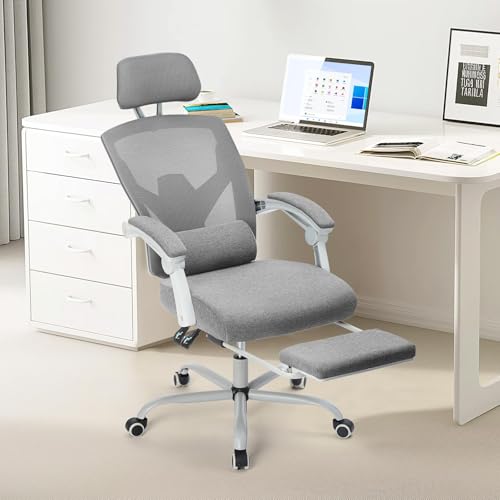
A ticova ergonomic office chair can support long hours at a desk, but only if it fits your body and is adjusted correctly. This guide walks you through what to check before buying, how to set up the chair step by step, and which mistakes to avoid so you get the back, hip and shoulder support the design is meant to provide. Because specific model details vary by listing and manufacturer, treat the specifications below as a checklist to confirm against the product page you are considering.
What to Check Before You Buy a ticova Ergonomic Office Chair
Start with the features that determine comfort, not the marketing photos. Most ergonomic task chairs share a handful of adjustable parts, and the quality and range of those parts matter more than any single label. Before you add a ticova ergonomic office chair to your cart, pull up the full specification sheet and confirm the following.
Shopping for one? See our guide: 10 Best Ergonomic Mesh Office Desk Chair Picks for Every Need (2026).
Seat height and seat depth
Seat height should let your feet rest flat on the floor with your knees at or slightly below hip level. For most adults, that means a seat height adjustment that covers roughly 16 to 21 inches from floor to seat surface. Seat depth matters just as much. You want about two to three finger-widths of space between the front edge of the seat and the back of your knee. If the listing gives seat depth in inches, a range of about 16 to 19 inches covers most users, but check your own measurement first.
Lumbar support
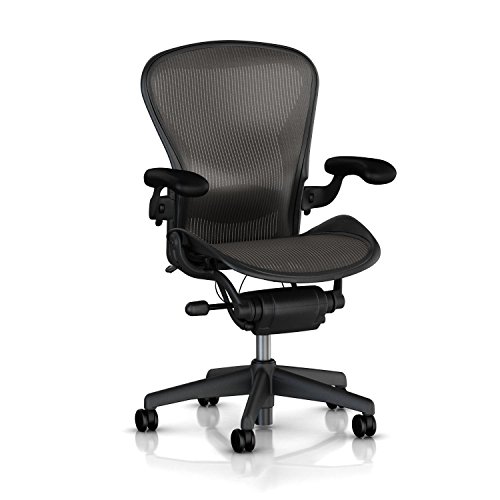
Look for an adjustable lumbar support that moves up and down, and ideally in and out. Fixed lumbar pads often sit in the wrong place for a large share of users. Your lower back should feel supported at the curve of your spine, roughly at belt level, without pushing you forward out of the seat.
Armrests
Armrests should adjust in height, and if possible, in width and angle. When your shoulders are relaxed, your elbows should rest on the arms at about a 90-degree bend, with the arms supporting your forearms without lifting your shoulders. Armrests that are too high cause shoulder tension; armrests that are too low let your shoulders slump.
Backrest and recline
A backrest that tilts or reclines lets you change posture during the day, which is useful because static sitting is hard on the body. Check whether the recline has a lock or tension control. Being able to set a slight recline, roughly 100 to 110 degrees between seat and back, can reduce pressure on spinal discs compared with sitting fully upright, though the right angle is individual.
Seat material and breathability
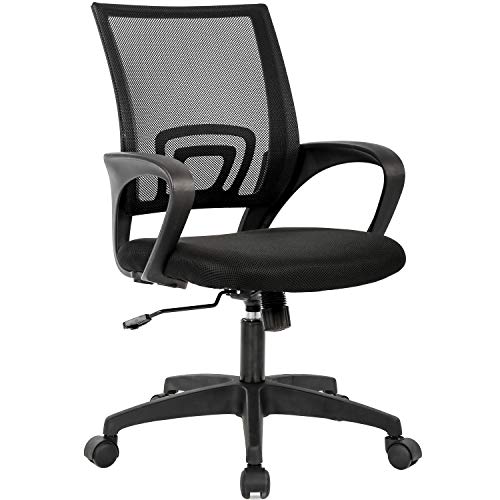
Mesh backs allow airflow and tend to feel cooler over long periods. Padded fabric or leather seats feel softer at first but can trap heat. Neither is inherently better; choose based on how warm your workspace runs and how long you sit at a time.
Step-by-Step: Setting Up Your ticova Ergonomic Office Chair
Even a well-designed chair feels wrong if it is not adjusted to your body. Set it up in the order below, and plan on spending about ten minutes the first time.
- Set the seat height. Sit all the way back in the chair. Adjust until your feet are flat on the floor and your thighs are parallel to the floor, or sloping very slightly down toward the knee.
- Check seat depth. Slide forward or back so there is a gap of about two to three fingers between the seat edge and the back of your knee. Some models adjust depth with a sliding seat pan; others do not, so confirm this before you buy if depth is a concern.
- Position the lumbar support. Place the lumbar pad so it fills the natural inward curve of your lower back. You should feel gentle support, not pressure that pushes you forward.
- Set the backrest angle. Recline slightly, then lock the position. Keep your head balanced over your shoulders rather than pushed forward.
- Adjust the armrests. Raise or lower the arms so your shoulders stay relaxed and your elbows bend at about 90 degrees. Keep the armrests close enough to support your forearms while you type.
- Align your desk and screen. Keep your keyboard close enough that your elbows stay near your sides. Place the top of your monitor at or slightly below eye level so you are not tilting your head down for long periods.
- Test and fine-tune. Work for 30 minutes, then reassess. Small adjustments of half an inch or a few degrees often make a noticeable difference.
Quick reference: adjustment targets
| Body area | Target position | Common error |
|---|---|---|
| Feet | Flat on floor or footrest | Dangling or tucked under the seat |
| Knees | At or slightly below hip level | Seat too high, pressing the backs of thighs |
| Lower back | Lumbar pad at belt-line curve | Pad too low or too high, causing slumping |
| Elbows | About 90 degrees, shoulders relaxed | Arms set too high, lifting shoulders |
| Eyes | Top of monitor at or below eye level | Screen too low, causing neck bending |
Tools and Supplies That Help
You do not need much beyond a tape measure to set up a chair well. A few simple items can help with the fit and with keeping your posture consistent over the day.
- A tape measure, for checking seat height and the gap behind your knees.
- A footrest or sturdy box, if your feet do not reach the floor comfortably at the lowest seat setting.
- A notepad or phone timer to remind you to shift position every 30 to 45 minutes.
- A monitor riser or stack of books, to raise the screen to eye level.
Common Mistakes to Avoid
- Setting the chair once and never revisiting it. Clothing, footwear and desk changes all affect fit. Recheck settings after any change.
- Sitting with the lumbar support pushed too far forward. This can create pressure rather than relief. Start with the pad lower and adjust gradually.
- Raising armrests to reach the desk. If your desk is too high for your arms, adjust the desk or the chair height first, then the armrests.
- Assuming a chair fixes everything. Posture habits matter. Change position regularly, and stand or stretch briefly during the day.
- Ignoring persistent pain. Mild adjustment soreness is normal in the first week. Ongoing numbness, sharp pain or pain that worsens should be checked by a doctor or physical therapist.
Tips for Getting the Most From Your Chair
Use the recline. Many people keep the chair fully upright because it feels more productive, but a slight recline can reduce load on the lower back. Alternate between upright work, reclined reading and brief standing breaks. If your chair has a tilt-lock, try a few settings and note which one lets you stay comfortable the longest.
Keep your feet supported. If the seat is set correctly but your feet dangle, add a footrest rather than raising the seat, since raising the seat often pushes the knees above hip level.
Plan for gradual adaptation. Your body may need one to two weeks to adjust to a new chair. Mild muscle fatigue early on is common, but discomfort that lingers or worsens is a sign to re-check your settings.
Recommended gear
For a more complete setup, these items pair well with an ergonomic task chair:
- Footrest for under-desk support: Helps keep knees at hip level when your desk or seat height cannot be lowered enough. View on Amazon
- Monitor riser: Brings the top of the screen to eye level, reducing forward head tilt. View on Amazon
- Lumbar support cushion: Useful as an add-on if the built-in lumbar pad does not sit in the right place for your back. View on Amazon
Further Reading
If you are still comparing options, several related guides on this site cover different chair styles and body types. For example, see Top 8 Ergonomic Office Chairs for Short Person Picks Compared (2026) if seat height is your main concern, or Top 6 Ergonomic Office Chair Tall Picks for Standing Desks in 2026 for taller users who need extra seat depth and frame height. For a chair with built-in leg support, Ergonomic Office Chair with Leg Rest: 8 Best Picks for Every Need covers that feature in detail, and Ergonomic Office Chair Small: 7 Fit Factors for Compact Workspaces is useful if your desk area is tight.
FAQ
How do I know if a ticova ergonomic office chair fits me?
Check the seat height range and seat depth against your own measurements. You should be able to sit with feet flat, knees near hip level, and a gap of about two to three fingers behind your knees. If the listing does not give enough detail, contact the seller or manufacturer for the full dimensions.
Should my office chair be set fully upright?
Not necessarily. A slight recline, often in the range of 100 to 110 degrees, is commonly recommended because it can reduce pressure on the lower spine. Vary your position through the day rather than locking into one angle.
How high should the armrests be?
Set the armrests so your shoulders are relaxed and your elbows bend at roughly 90 degrees while your forearms rest on the arms. Armrests that lift your shoulders are a common source of neck and upper-back tension.
How long does it take to adjust to an ergonomic chair?
Many people need about one to two weeks. Mild soreness during this period is common as your muscles adapt. Persistent or worsening pain should be evaluated by a healthcare professional.
Do I need a footrest with this chair?
Only if your feet do not rest flat on the floor when the seat is set at a comfortable height. A footrest is often a better solution than raising the seat, which can push your knees above hip level.
Can an ergonomic chair alone prevent back pain?
No. A well-adjusted chair helps, but posture habits, regular movement and breaks matter as much. If you have ongoing back pain, consult a doctor or physical therapist for an individual assessment.
How often should I readjust my chair?
Check your settings whenever you change shoes, desks or work tasks, and reassess every few weeks. Small shifts in how you sit can slowly change your fit.
Conclusion
A ticova ergonomic office chair works best when you match its adjustments to your body: seat height, depth, lumbar support and armrests all need to fit your measurements. Set it up in order, check your posture against the reference table, and revisit the settings as your workspace changes. Combine a good setup with regular movement and breaks for the most reliable comfort over long workdays.
Related reading
Ready to choose one?
About Caleb Morgan
Caleb Morgan is part of our editorial team and reviews and edits our fitness at work guides, checking product details against manufacturer specifications and owner feedback.